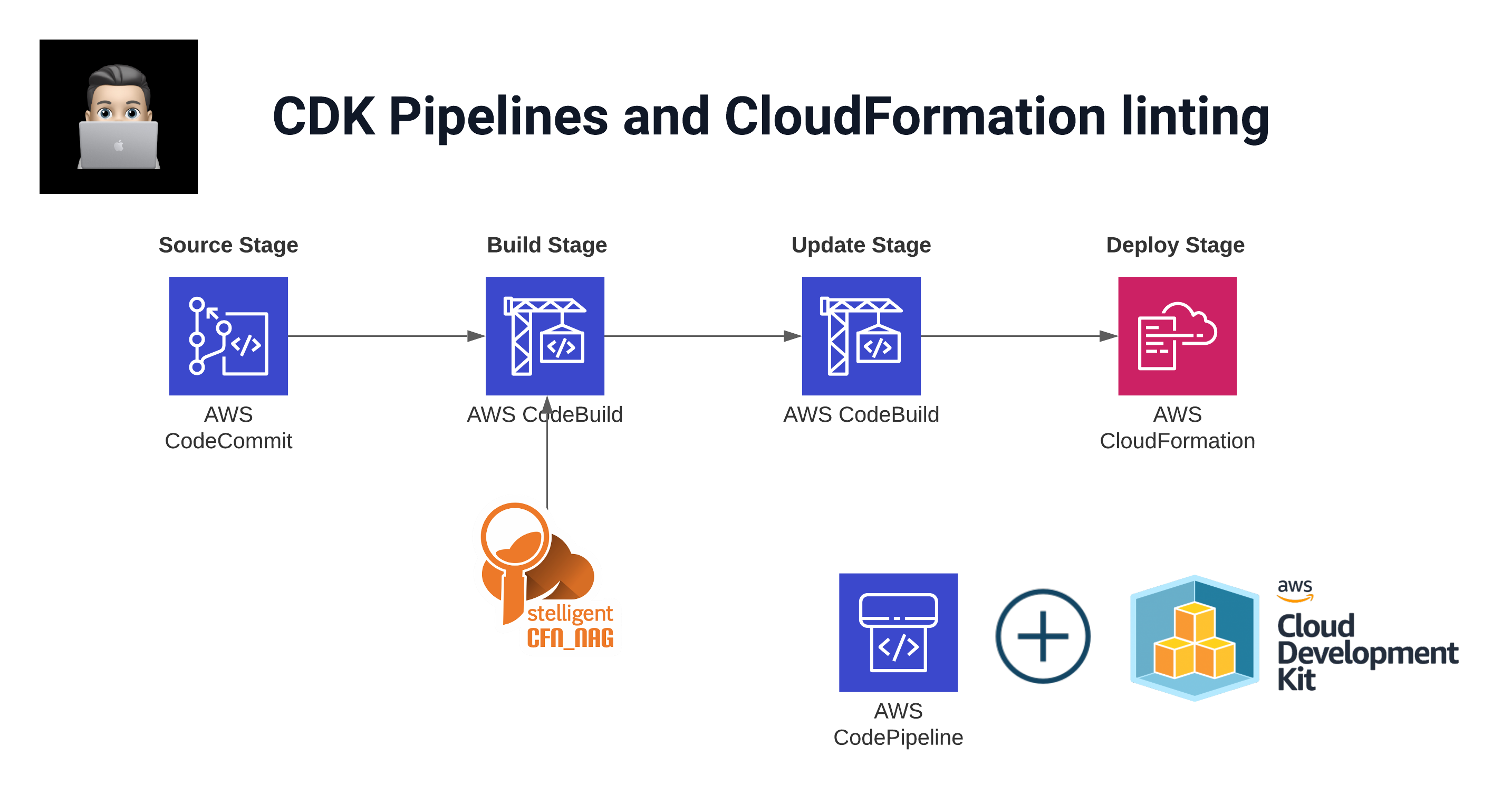
Background
On my day to day job as a Cloud Consultant I work a lot with infrastructure as Code, basically everything is Infrastructure as Code (IaC) nowadays. As my work is focused on AWS, the IaC tools I use are CloudFormation, sometimes Terraform but mostly the AWS Cloud Development Kit (CDK). When writing new infrastructure with CDK, in the end what comes out after synthesizing your code are CloudFormation templates.
With CloudFormation released since 2011, the vendor AWS and also the community created several tools to check and validate your CloudFormation templates. A couple I personally use in my day to day work are:
- Cfn-lint is the CloudFormation Linter tool.
- Cfn-Nag to find security problems inside your templates.
- pre-commit to check your templates/code before committing on certain hooks.
This article is more focused on how to embed such cool tools inside your CDK pipeline.
Prerequisites
- Access to an AWS Account with proper rights to deploy resources.
- CDK knowledge. Luckily AWS created workshops on these topics:
Installation
The idea here is to embed tools like cfn-nag and cfn-lint inside your CDK Pipeline to make it more robust and secure.
➜  mkdir cdkpipeline_with_cfn_nag && cd cdkpipeline_with_cfn_nag
➜  cdk init app --language python
Real world scenario
In enterprises DevOps teams are often not allowed to deploy resources from their local development machine. The standard is to use CI/CD for that. So code is being pushed to a repository and on pull request a pipeline will run and execute the code to deploy the resources.
So let us try to mimic the real world scenario in our CDK app. The idea is to create a simple S3 bucket within your AWS account. This bucket will be deployed via CDK pipelines.
Go Build
First install some dependencies:
pip install aws_cdk.aws_s3Create S3 Bucket
Create the bucket within the CDK App. Your bucket_stack.py file:
from aws_cdk import (
    aws_s3 as s3,
    core as cdk,
)

class BucketStack(cdk.Stack):

    def __init__(self, scope: cdk.Construct, construct_id: str, **kwargs) -> None:
        super().__init__(scope, construct_id, **kwargs)

        s3.Bucket(self, 'S3Bucket')
If you run cfn_nag_scan locally you can see that cfn-nag finds 3 warnings:
➜  cfn_nag_scan --input-path cdk.out/Bucket.template.json
| WARN W51: S3 bucket should likely have a bucket policy
| WARN W35: S3 Bucket should have access logging configured
| WARN W41: S3 Bucket should have encryption option set

Failures count: 0
Warnings count: 3
CodeCommit Repository
To have the code run automatically when a change has been made, we need to store the code somewhere:
from aws_cdk import (
    aws_codecommit as codecommit,
    core as cdk
)

class RepositoryStack(cdk.Stack):

    def __init__(self, scope: cdk.Construct, construct_id: str, **kwargs) -> None:
        super().__init__(scope, construct_id, **kwargs)

        codecommit.Repository(
            self, 'Repository',
            repository_name='cdkpipeline_with_cfn_nag',
            description='Repository for CDK pipeline with CFN Nag'
        )
CDK Pipeline
The cdkpipeline.py file with cfn_nag embedded in the synth commands:
from aws_cdk import (
    aws_codecommit as codecommit,
    pipelines,
    core as cdk
)

class CdkPipelineStack(cdk.Stack):

    def __init__(self, scope: cdk.Construct, construct_id: str, **kwargs) -> None:
        super().__init__(scope, construct_id, **kwargs)

        repository = codecommit.Repository.from_repository_name(
            self, 'pipeline_repository', 'cdkpipeline_with_cfn_nag'
        )

        pipeline = pipelines.CodePipeline(
            self, "CDKPipeline",
            pipeline_name="CDKPipeline",
            synth=pipelines.ShellStep("Synth",
                input=pipelines.CodePipelineSource.code_commit(repository, "main"),
                commands=[
                    "npm install -g aws-cdk",
                    "gem install cfn-nag",
                    "pip install -r requirements.txt",
                    "cdk synth",
                    "mkdir ./cfnnag_output",
                    "for template in $(find ./cdk.out -type f -maxdepth 2 -name '*.template.json'); do cp $template ./cfnnag_output; done",
                    "cfn_nag_scan --input-path ./cfnnag_output",
                ]
            )
        )
The key is in the commands after cdk synth. We copy all template.json files to a separate directory and then run cfn_nag_scan over that directory.
Checking CFN_NAG results
With the CDK pipeline deployed, the first run is automatically initiated.
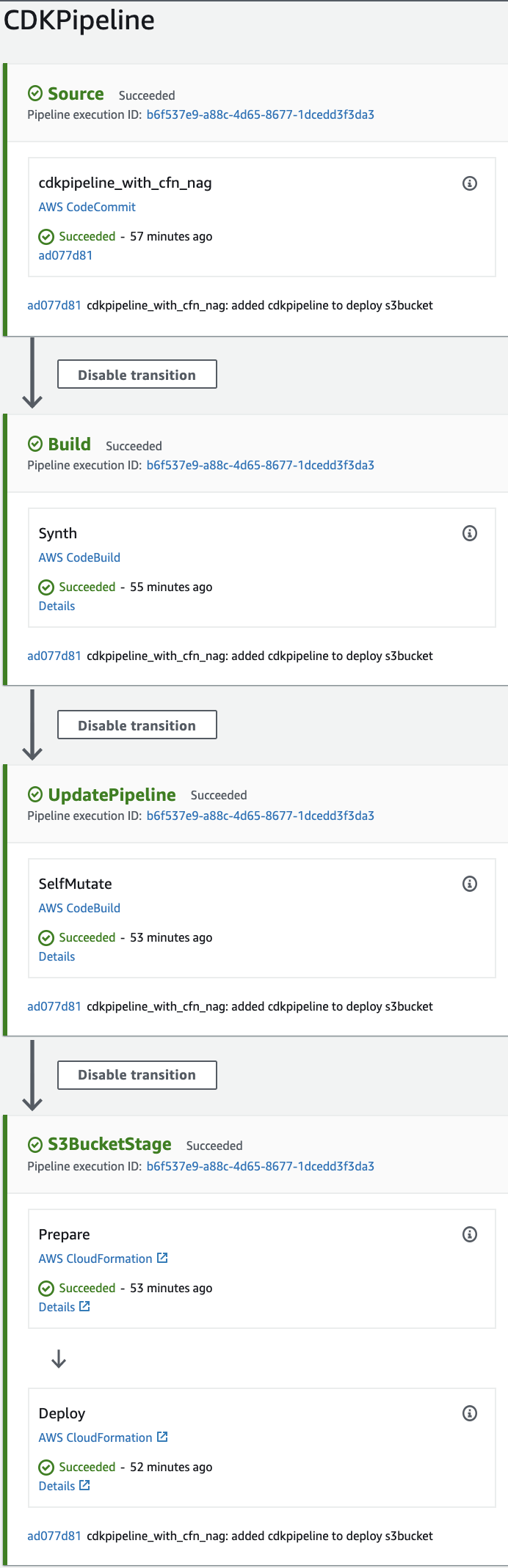
During the run, the CodeBuild phase which is responsible for the generation of the CloudFormation template, our CFN_NAG for loop is executed as well. So all the templates are validated with CFN_NAG.
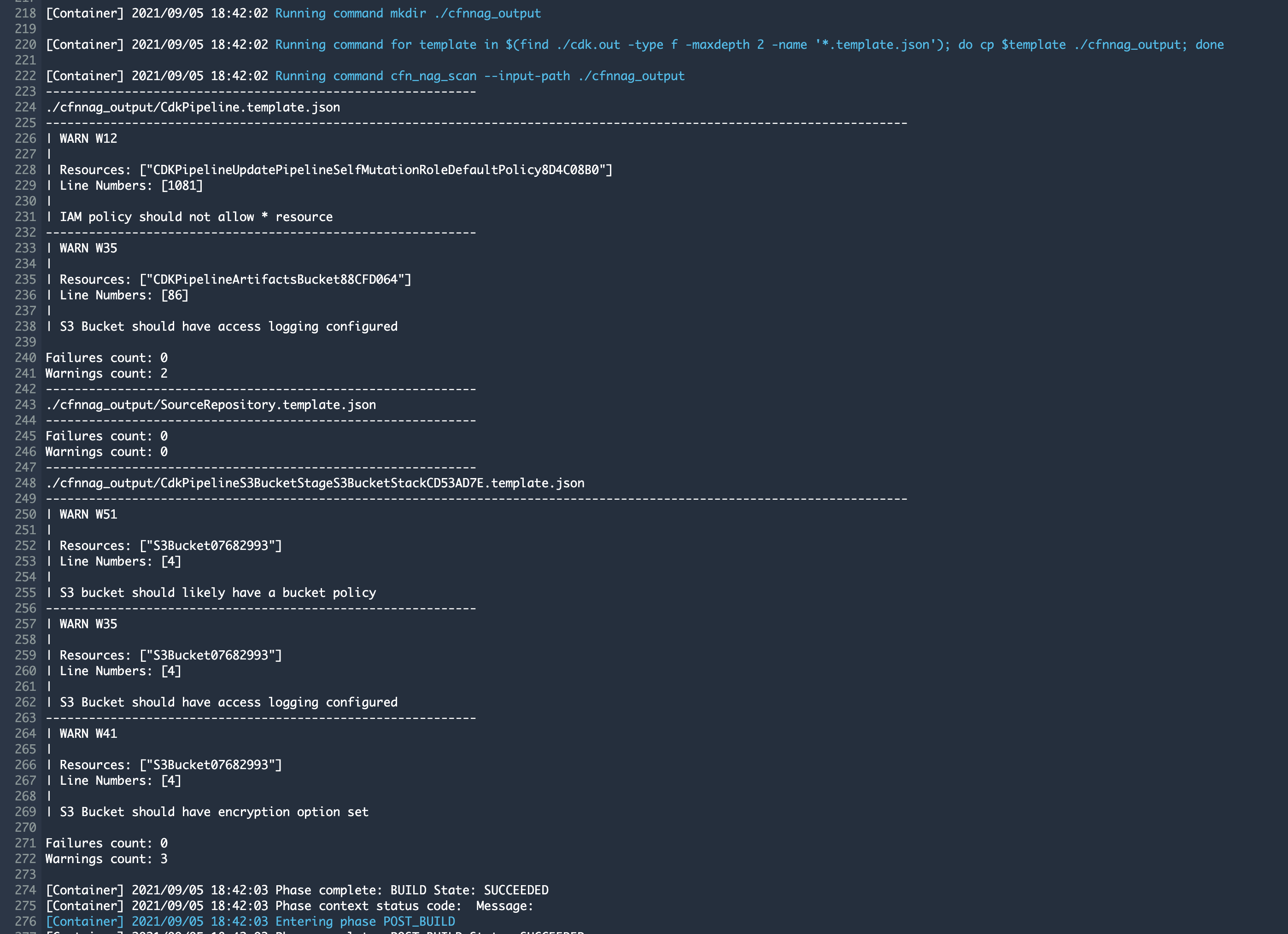
The result can be checked inside the CodeBuild step of the pipeline:
cdk.out/S3BucketWithCfnNagConstructStack.template.json
| WARN W51: S3 bucket should likely have a bucket policy
| WARN W35: S3 Bucket should have access logging configured
| WARN W41: S3 Bucket should have encryption option set

Failures count: 0
Warnings count: 3
Two templates are tested and only have warnings. This can be fixed by creating a secure bucket CDK construct which I will describe in a next blog.
Try yourself
Code can be found in my GitHub
Have questions about CDK pipelines or CloudFormation linting? Find me on Twitter or LinkedIn.